Airmonitor Plus has a single multifunction button on the rear of the monitor. Depending on how you press it, the button can power on the monitor, turn the audible alarm on or off, calibrate the CO₂ sensor or reset the Wi-Fi settings.
Use this quick guide to make sure you're using the right press for the job.
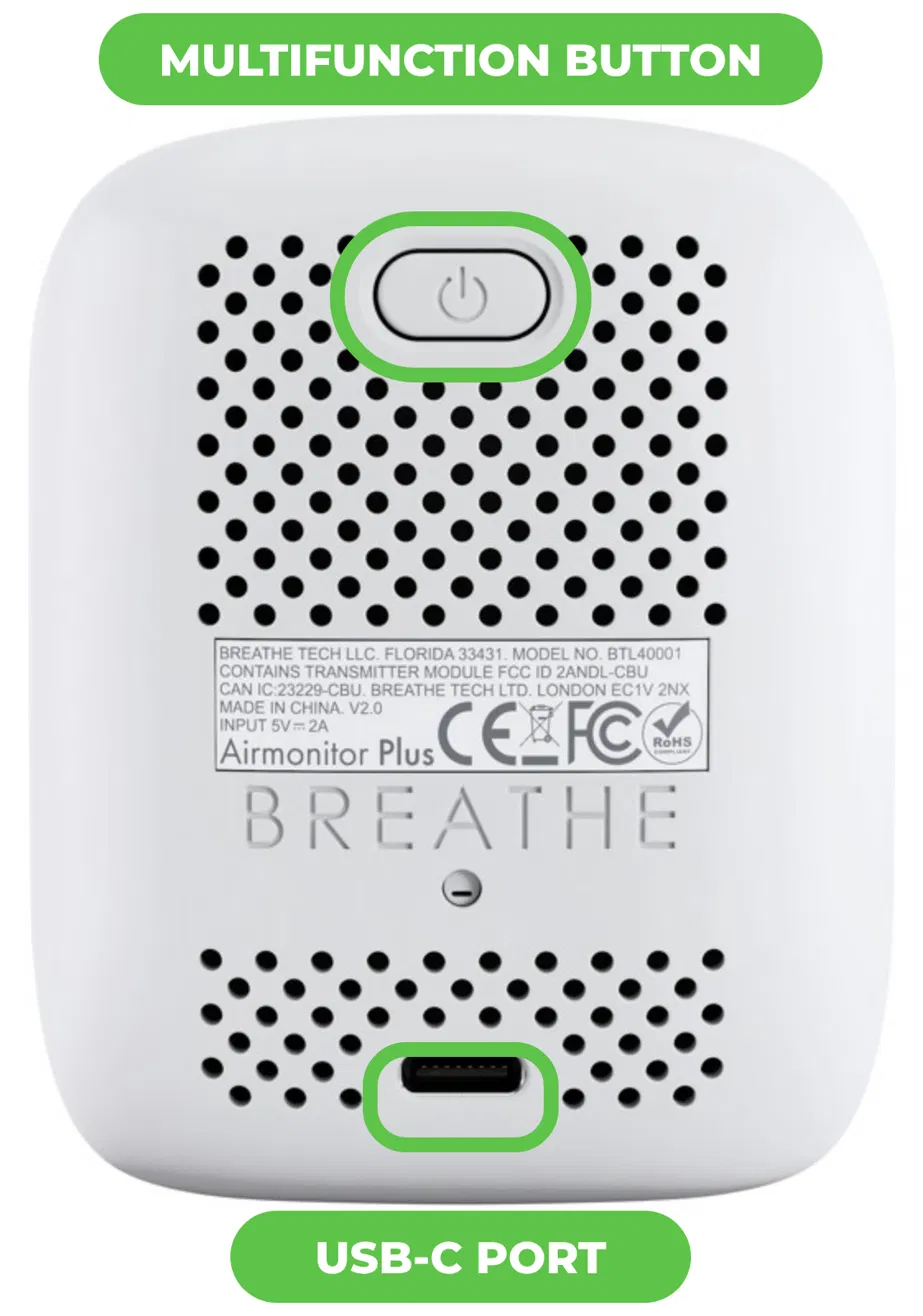
Button Quick Reference
| Press | What it does |
|---|---|
| Hold ~3 seconds (when off) | Power on. Release when the display lights up. Most monitors switch on automatically when plugged into power. See Powering On Airmonitor Plus. |
| Press twice quickly | Turn the audible alarm on or off. The alarm icon on the display shows whether the alarm is enabled. This does not affect app notifications. See Setting the Airmonitor Plus Alarm (On Device). |
| Press 3 times quickly | Calibrate the CO₂ sensor. Only do this outdoors in fresh air, after waiting at least 5 minutes. The CO₂ reading changes to -- while calibrating. See Calibrating Your Airmonitor Plus. |
| Hold ~10 seconds (when off) | Reset Wi-Fi and enter pairing mode. Keep holding until the display turns on, you hear a beep and the Wi-Fi icon flashes. See Resetting Wi-Fi Settings. |
Waking the Display
If Screen Sleep is enabled and the display has turned off, you don't need to press the button. Simply wave your hand 5–10 cm (2–4 inches) in front of the proximity sensor above the display and it will wake automatically.
Frequently Asked Questions
Where is the multifunction button?
It's the oval button at the top of the rear of the monitor, marked with a power symbol.
I reset the Wi-Fi by accident. What should I do?
Your data and calibration are not affected. Simply reconnect the monitor using Connecting Your Airmonitor Plus to Wi-Fi.
The alarm is beeping. How do I silence it?
Press the button twice quickly. See How Do I Silence the Alarm?
Related Articles
Was this article helpful?
That’s Great!
Thank you for your feedback
Sorry! We couldn't be helpful
Thank you for your feedback
Feedback sent
We appreciate your effort and will try to fix the article